CNAME Cloaking: Investigate a Third-Party Subdomain
Trace CNAME records, identify the provider, and inspect transmitted cookies before deciding whether a subdomain should remain authorized.
 IsMalicious Team
CNAME cloaking makes a third-party service appear under a website's subdomain through a DNS alias. The browser may request mesure.example.com while DNS resolution leads to a provider's infrastructure. A control based only on the visible name can miss that relationship.
External CNAMEs do not always represent tracking. The same mechanism supports ordinary hosting and support services. Before choosing an action, establish which service is actually involved, what data is exchanged, and who is responsible for maintaining it.
Distinguish a DNS alias from a web redirect
A CNAME associates an alias with a canonical name in DNS. RFC 1034 describes the mechanism. It is not an HTTP redirect: the visible URL can retain its initial name while DNS resolves the destination.
The following diagram is fictional. example.com, the .example domains, and the IP address are reserved for documentation.
Browser request: https://mesure.example.com/collect
DNS: mesure.example.com CNAME collecte.prestataire.example
DNS: collecte.prestataire.example A 192.0.2.126
Ownership of the initial name and operation of the final server are separate questions. Keep both names in the investigation record. If your tool displays only the IP, add the requested name and observed chain so that traffic to that address is not all attributed to a single customer.
Start with a real request
Choose a page and a user action to reproduce: opening a product page, signing in, or submitting a form. Use a test account and fictional data. Record the browser, version, timestamp, consent state, and active extensions.
In developer tools, locate the request to the subdomain under investigation and identify its initiator. Was it a directly embedded script, a tag manager, or a resource loaded by another provider? The initiator helps identify the team responsible for the code or configuration.
Preserve a trace with secrets removed. A HAR export can contain cookies, tokens, and form data. Keep the original in the authorized investigation workspace and prepare a minimal version for discussions with the provider.
The observation to establish is specific: “this action triggers this request, carrying this data, to this service.” That makes the finding reproducible and avoids attributing collection to a component merely because it is present on the page.
Follow resolution in the right context
Record the DNS responses obtained during the test, including the resolver and timestamp. For a domain you manage, a command such as the following displays the available answer:
dig mesure.example.com CNAME +noall +answer
The command uses an illustrative name. Replace it with a hostname you are authorized to examine. If the answer contains another alias, continue following the chain. Also inspect the A and AAAA responses needed to reach the destination, rather than assuming only one address family is involved.
Compare that observation with the endpoint's resolution logs when explaining a past event. Today's answer may differ from the incident's answer. An absent visible CNAME in a synthesized response also does not prove that no provider is involved. Request the zone configuration from the domain owner when that information is available to you.
To expand the inventory, the subdomain enumeration guide helps find names associated with your services. Each discovery still needs an internal owner and an approved purpose.
Inspect what reaches the server
Examine the test request's URL, parameters, headers, and body. Look for account identifiers, business data, and cookies unnecessary for the service. A request without cookies can still send personal information in its body, so the analysis must extend beyond browser storage.
A cookie configured with Domain=example.com can apply to subdomains. HttpOnly prevents JavaScript from reading it, but does not prevent HTTP transmission when the other conditions are met. MDN's cookie documentation explains these attributes. Check what was actually sent rather than declaring exposure based on configuration alone.
Also distinguish same-site from same-origin. Two subdomains can belong to the same site while remaining different origins. A DNS alias does not merge the browser's origin rules. A policy allowing every subdomain and one limited to an exact origin grant different permissions.
WebKit has documented trackers' use of CNAME cloaking and the associated protections. Those protections help explain why two browsers can produce different observations. They do not remove the website owner's responsibility to control data sent to a provider.
Confirm the service and its scope
Send the internal owner the hostname, DNS target, initiator, and a sanitized example request. Ask what the integration does, which provider account controls it, and what data it is expected to receive. A subscription invoice confirms a commercial relationship, but not necessarily this exact configuration.
Compare the observed data with the stated purpose. If a basic traffic-measurement service receives account-session information, ask why it is necessary and how it is handled. If the integration no longer has an owner, mark it as a dependency requiring review before continued use.
The subdomain takeover and dangling DNS guide covers cases where the provider resource has been released. An alias that remains in place does not prove someone else can claim the target, but it does justify checking the decommissioning process.
Choose a correction and verify it
If the service is authorized but receives too much data, correct the component sending that data and the scope of the affected cookies. Test the affected business workflows, because a cookie change can affect sign-in or other subdomains.
If the service is abandoned, plan its removal with the DNS owner and application owner. Remove active references and neutralize the alias before permanently releasing a resource that someone else could reuse. Then check remaining requests and cache effects.
If the behavior remains unexplained, apply a restriction appropriate to your context and retain a condition for reassessment. To add context, open an IsMalicious report for the initial name and the relevant target. Their reputation results can differ; relating those results to the observed request is what makes the decision meaningful.
Frequently asked questions
- Does a CNAME pointing to a provider prove advertising tracking?
- No. CDNs, support tools, and measurement services use legitimate DNS aliases. Examine the purpose, application requests, and transmitted data to determine the behavior.
- Does HttpOnly prevent a cookie from reaching a third-party subdomain?
- No. HttpOnly limits JavaScript access. If the cookie’s scope and the request conditions allow transmission to the subdomain, the server handling that request can receive it.
- Should I block the target IP of a suspicious CNAME?
- Not automatically. Other services may share the IP. Connect the visible name, DNS target, and observed use, then choose the restriction’s scope and verify its impact.
Related articles
- Subdomain Takeover: Find Dangling DNS First
Prevent subdomain takeover by finding dangling DNS records, linking names to cloud owners, monitoring certificates, and fixing decommissioning order.
 Fast-Flux DNS: Detect Rotating Attack Infrastructure
Learn how to detect fast-flux DNS using TTL, passive DNS, ASN diversity, reputation signals, and a repeatable SOC investigation workflow.
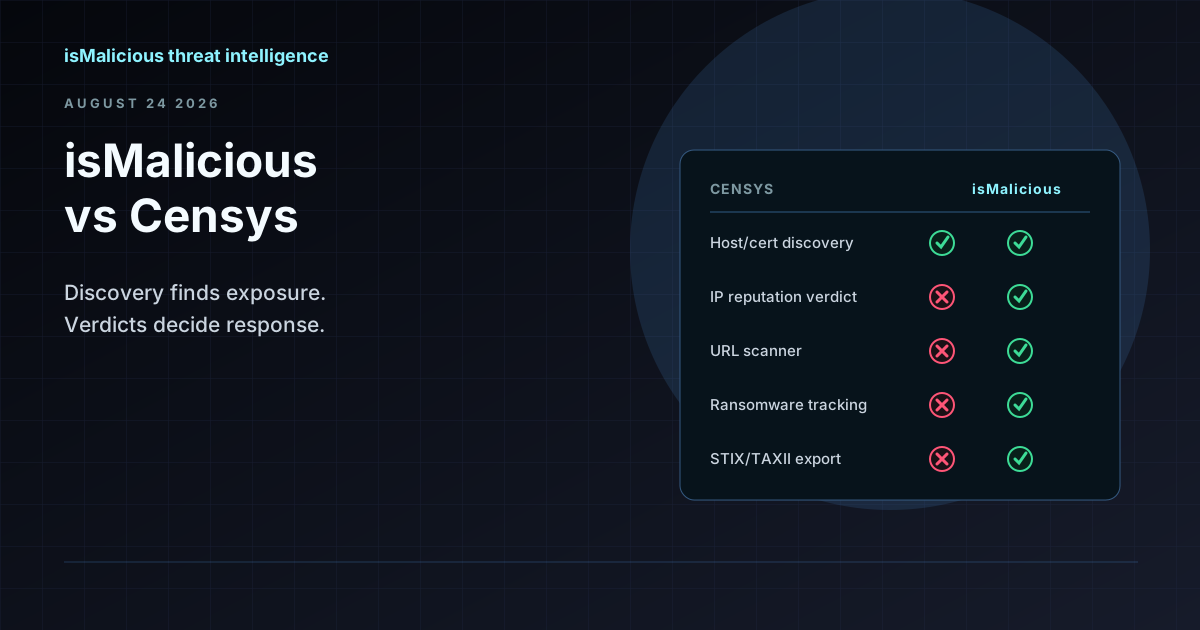 isMalicious vs Censys: Internet Discovery and Reputation Verdicts Are Different Jobs
Censys maps what exists on the internet — hosts, certificates, open ports. isMalicious assesses what is malicious. Most teams comparing the two need the second question answered, not the first.
Protect Your Infrastructure
Check any IP or domain against our threat intelligence database with indexed records.
Try the IP / Domain Checker