SMTP 550 5.7.1: Find the Cause of an Email Rejection
A 550 5.7.1 rejection can involve recipient policy, authentication, or reputation. Use the full diagnostic and delivery traces to find the cause.
 IsMalicious Team
SMTP error 550 5.7.1 does not establish that your IP address has a poor reputation. The receiving server refused the message, but the specific reason is in the full rejection text and the delivery path. Requesting removal from a blocklist before identifying that server can send you after the wrong problem.
This diagnostic process starts with a non-delivery notice and ends with a correction test. It applies both to teams running their own servers and to those using a provider. In the latter case, support may need to supply some of the traces.
Read the full notice and locate the send
Preserve the original non-delivery message, often called an NDR or DSN. Record the time, affected recipient, rejecting server, complete SMTP diagnostic, and the send identifier in your platform. Different recipients of the same message may have received different outcomes.
Distinguish the server delivering the failure notice from the one that made the decision. The former may simply be passing on the latter's rejection. Find the corresponding attempt in outbound logs and identify the IP address actually used. A system may have multiple outbound paths, particularly after a migration or through a shared pool.
Microsoft's documentation for 550 5.7.1 covers several causes, including recipient restrictions and routing or authorization problems. Treat the code as the start of the investigation; it does not identify a particular blocklist.
Build an incident record
The following example is fictional. Its domains and IP address are reserved for documentation. The text illustrates a simplified log, not a provider-specific error.
time: 2026-09-29T08:20:00Z
application: billing
send_id: TEST-204
outbound_smtp_ip: 192.0.2.52
recipient: comptabilite@client.example
rejecting_server: mx.client.example
stage: end of DATA
diagnostic: 550 5.7.1 Message refused by recipient policy
This record supports a specific request: “Can you locate TEST-204 to this mailbox at this time?” It does not yet justify “our IP is blocklisted.” The recipient administrator may find an attachment rule or a prohibited sender, while your provider verifies the outbound path.
Add the last known success, first failure, and changes between them. A platform migration, a changed return-path domain, or a new invoice template then becomes a testable hypothesis. A dated change history is more useful than a series of improvised attempts.
Use the rejection text to direct the investigation
| Diagnostic clue | Useful first check |
|---|---|
| A named list or reputation service | Check the specified IP or domain with that source |
| SPF, DKIM, or DMARC mentioned | Examine the sending identity and authentication results |
| Relay denied or authentication required | Check the connector and transport authorization |
| Transport rule or recipient policy | Have the recipient locate the rule in receiving logs |
| Content or formatting rejected | Compare a minimal message with the affected message |
This table organizes the investigation; retain the provider's terminology when applying it. Google, for example, documents several 550 5.7.1 diagnostics with different causes in its Gmail SMTP error list. Keep the explanatory sentence alongside the code in your ticket.
Establish the incident's scope as well. One affected address points toward a local restriction. Multiple recipients at one domain point toward that domain's gateway or policy. Several domains affected by one application point toward the application's sending path. These observations prioritize tests but are not definitive proof.
Separate authentication from reputation
For authentication, use a recent message from the same sending flow, with the same settings, received by a test mailbox you control. Record the evaluated domains, not just pass or fail. Your marketing service and office mail can use different identities even when their visible display names match.
The SPF, DKIM, and DMARC guide provides the necessary background. Compare the provider's expected configuration with the published DNS. Avoid changing several domains at once or removing a protection merely to see whether delivery works. That would obscure the relationship between the change and its result.
For reputation, investigate the exact indicator named in the refusal. A web domain's reputation and an SMTP IP's reputation do not necessarily describe the same risk. The email reputation guide helps distinguish these objects. An external source can provide context without knowing the recipient's private policy.
If your IP is shared, ask the provider to confirm its responsibility and planned action. If you control the IP, first look for unexpected sending activity: a compromised account, an abused application, an unusual queue, or an old service still operating. Delisting does not fix the behavior that caused the listing.
Test one correction at a time
Prepare a limited test with a willing recipient. Use the same flow that failed and content the recipient expects. Record exactly what changed: a corrected connector, enabled signing, authorized recipient, or resolved reputation issue.
Preserve the new send identifier, SMTP result, and, if delivered, the received message's headers. Acceptance by an intermediate relay alone does not establish that the message reached the inbox. Check whether it was placed in spam or quarantine as well.
Do not replay the entire queue based on one ambiguous result. Determine which messages actually failed and which were already delivered. A replay should avoid duplicate invoices, notifications, or approval requests.
Prepare an escalation when the cause remains unclear
A useful ticket includes the complete diagnostic, timestamps with time zone, trace identifiers, outbound SMTP IP, and a representative example stripped of unnecessary data. List affected domains, comparable successes, and the test performed. Ask for the specific rule or category responsible for the rejection.
Close the incident by naming the demonstrated cause and the evidence of recovery. If the receiving gateway keeps its reason private, record that limitation and the outcome of its checks. To examine the public context of a named indicator, open an IP or domain report. Include it in the escalation as dated evidence, without suggesting that a favorable score will make the recipient accept future messages.
Frequently asked questions
- Does 550 5.7.1 mean my IP address is blocklisted?
- Not necessarily. The full rejection text may identify a recipient rule or an authorization, authentication, or reputation problem. The code alone does not establish that delisting is the right action.
- Should I immediately resend every rejected message?
- No. Correct the identified cause first, then run a controlled test. Repeating an unchanged send proves little and can create duplicates if some deliveries already succeeded.
Related articles
 How to Analyze Suspicious Email Headers
Identify trusted servers, interpret Authentication-Results, and investigate a suspicious email without confusing authentication with safe content.
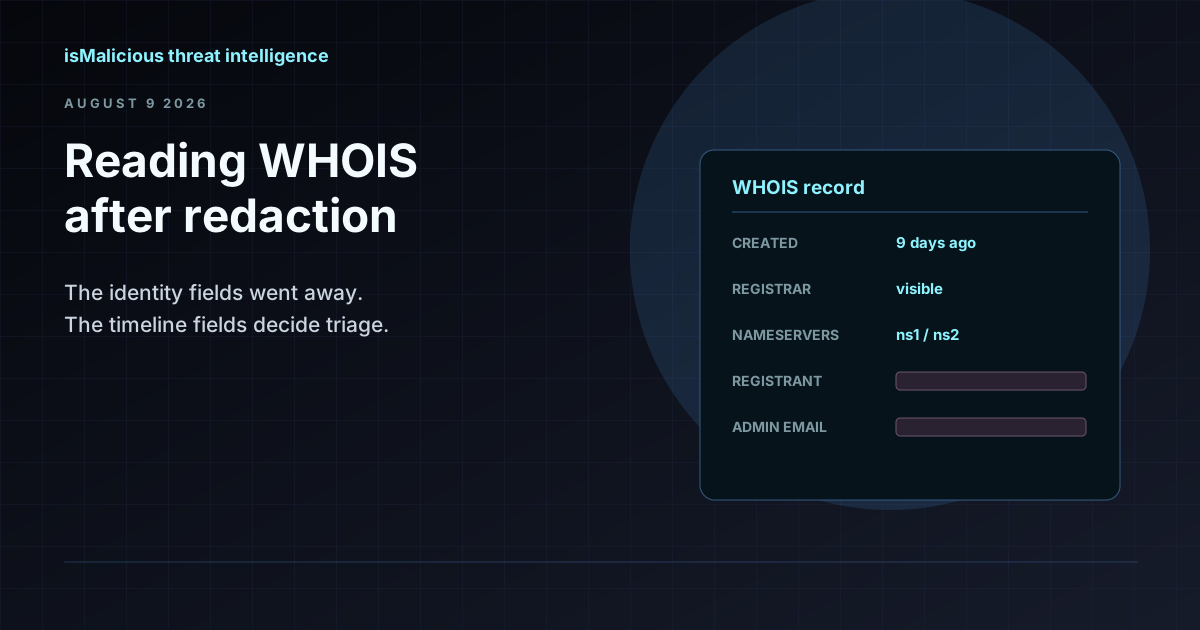 WHOIS Lookup for Security Investigations: Reading a Record After Redaction
Privacy services stripped the registrant name out of most WHOIS records, but the fields that matter for triage survived. Here is what a WHOIS record still tells an analyst, and how to read it.
 SSO Vishing And SaaS Data Theft: Domain Monitoring Before The Helpdesk Call
ShinyHunters-style SSO vishing shows how fake login domains, MFA enrollment abuse, and SaaS access can become data theft. Domain monitoring gives defenders early warning.
Protect Your Infrastructure
Check any IP or domain against our threat intelligence database with indexed records.
Try the IP / Domain Checker