SPF Permerror: Fix the DNS Lookup Limit
Trace SPF dependencies, distinguish permerror from fail, and reduce DNS lookups while testing every sending service.
 IsMalicious Team
An SPF permerror means evaluation encountered a permanent policy or processing problem. It differs from fail, which can result from a valid policy that does not authorize the sending IP. Before adding another include, identify the specific cause: syntax, competing records, an invalid dependency, or the DNS lookup budget being exceeded.
This guide follows an organization using separate services for office mail, billing, support, and campaigns. Its SPF record looks short, yet some messages fail. The goal is to remove the problematic dependency without breaking an infrequent flow such as monthly payment reminders.
Start with a message that actually fails
Obtain the outbound IP address, timestamp, and domain evaluated by the recipient. Use reception traces from a test message or logs from the provider that rejected it. The domain in the visible From address is not automatically the domain whose SPF policy was checked.
Ask for a successful example from another service as well. Keep the two observations separate: application, envelope domain, IP address, recipient, and result. Without those parameters, a generic validator may describe today's DNS without reproducing the incident.
The email authentication guide places SPF in its wider context. For this troubleshooting task, keep a narrower question: which evaluation path leads to the observed permerror?
Count evaluated terms, not network packets
RFC 7208, section 4.6.4 imposes a limit of ten evaluated DNS terms: include, a, mx, ptr, exists, and redirect. Nested dependencies count too. ip4, ip6, and all do not consume this budget. A fast DNS cache does not remove the logical limit.
The same section sets other bounds, including lookups that return no usable answer, known as void lookups. It recommends limiting those to two. A count below ten therefore does not guarantee a valid policy. Preserve the detailed reason returned by your tool.
This fictional policy is used only to explain the diagnostic process:
example.com TXT "v=spf1 include:mail.example include:crm.example include:factures.example -all"
The .example names are not real providers. Assume the complete path through mail.example consumes four terms, crm.example consumes another four, and factures.example consumes three. In this example, those numbers include each parent include and its dependencies.
An IP recognized early in the first group can pass. A path that needs to evaluate all three groups exceeds ten. Microsoft's SPF documentation explains that the same policy can succeed for some senders and fail for others, depending on which terms evaluation reaches.
Build an inventory with named owners
Export the published TXT record and the responses for every dependency consulted. Record the time and resolver used. Work with a tool that shows the evaluation path. A bare value of “11” does not tell you which service to remove or which IP was failing.
Assign each branch to an internal owner. A supplier contract is not enough: an old integration may still send invoices to a small customer segment. Ask the owner for a recent example and the configuration actually in use.
| Fictional branch | Owner to contact | Evidence to obtain |
|---|---|---|
| Office mail | IT team | Test message and return-path domain |
| CRM | Sales team | Recent campaign or notification |
| Billing | Finance team | Test reminder and invoice |
| Old tool | Contract owner | Confirmed shutdown and no remaining dependency |
Include backup flows, scheduled jobs, and custom return-path domains. This inventory explains why a service is authorized and makes future removals verifiable.
Choose a lasting correction
The first option is to remove an authorization that is no longer needed, after confirmation from its owner. Preserve the old value in the change ticket and identify the retired flow. Do not remove a branch merely because it did not appear in one day's logs.
A second option is to eliminate proven redundancy. Instructions copied from different procedures may cover the same integration, but check the provider's current documentation before combining them. Similar names do not establish identical scope.
A third option is to move a service to a dedicated envelope domain, if its platform supports that configuration. Plan the DMARC alignment and reception tests as part of the change. Editing only the main domain's SPF text does not create the new sending path.
Google's SPF troubleshooting documentation recommends examining nested inclusions and removing references to unused services. Turn that check into a recurring dependency review, with an owner assigned to every branch.
Assess the maintenance cost of flattening
Flattening replaces DNS references with IP addresses calculated at a particular moment. It can reduce the number of queried terms, but transfers responsibility for tracking IP changes to the system publishing that list.
Before choosing it, establish who detects provider changes, how quickly they are published, and how to roll back an error. Without that responsibility, the policy may be shorter today and less reliable at the next infrastructure change.
Avoid copying a broad network range just to eliminate an error. The policy should represent authorized senders. A wider authorization than necessary can resolve the symptom while changing the trust policy.
Validate every relevant path
Prepare a test matrix before publishing: service, owner, IP or pool, envelope domain, and test recipient. Add an unauthorized case in a local or offline SPF validator to check that the correction did not accidentally broaden the policy.
After the change, observe DNS responses and account for the TTL of old values. Repeat the tests from each application, then inspect the results at the receiver. Successful office mail does not validate the billing platform.
Keep reputation checks separate. Repairing SPF does not remove a malicious-activity signal or a recipient's private rule. Monitoring domain reputation changes can support this follow-up. If a domain or IP appears in a rejection, inspect its IsMalicious report and preserve that context alongside the technical test results.
Frequently asked questions
- Do ten visible include terms stay within the SPF limit?
- Not necessarily. Included policies can trigger further inclusions. The count covers DNS terms evaluated across the complete path, not just the record published at the root.
- Does SPF flattening permanently fix a permerror?
- It reduces some lookups by replacing dependencies with IP addresses, but those addresses must stay current. Without maintenance that follows provider changes, authorized messages can start failing.
Related articles
 SMTP 550 5.7.1: Find the Cause of an Email Rejection
A 550 5.7.1 rejection can involve recipient policy, authentication, or reputation. Use the full diagnostic and delivery traces to find the cause.
 Subdomain Takeover: Find Dangling DNS First
Prevent subdomain takeover by finding dangling DNS records, linking names to cloud owners, monitoring certificates, and fixing decommissioning order.
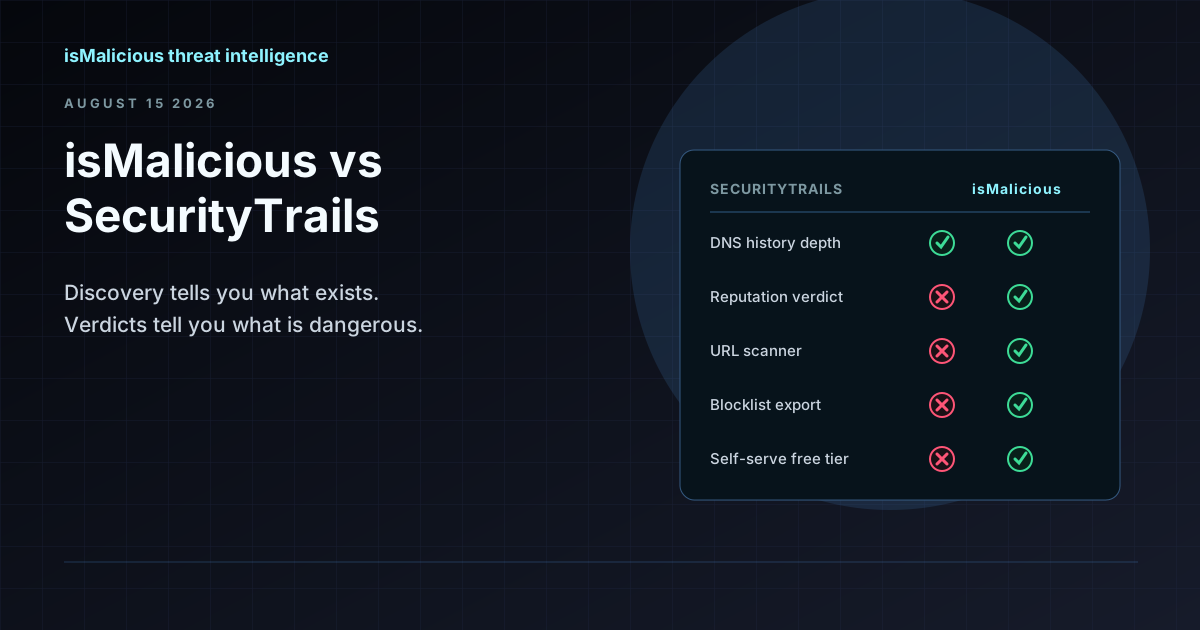 isMalicious vs SecurityTrails: Discovery Data and Reputation Verdicts Are Not the Same Product
SecurityTrails tells you what exists — every subdomain, every historical DNS record. isMalicious tells you what is dangerous. Most teams searching for a SecurityTrails alternative want the second half.
Protect Your Infrastructure
Check any IP or domain against our threat intelligence database with indexed records.
Try the IP / Domain Checker